Fatal Claw Map, Markers and Fast Travel
Read the Fatal Claw 1.0 map, organize markers, unlock biome save-point travel, and diagnose one-way or ability-gated routes.
Direct answer
Read the Fatal Claw map by biome color and explored fill, use purchased pins for return routes, and treat waypoint travel and biome save-point travel as separate unlock stages.
Quick answer
- Biome maps are found or bought to expand local map detail.
- Custom markers require purchased map pins.
- Save-point travel unlocks separately inside each biome.
- One-way walls and ability gaps should be marked for return visits.
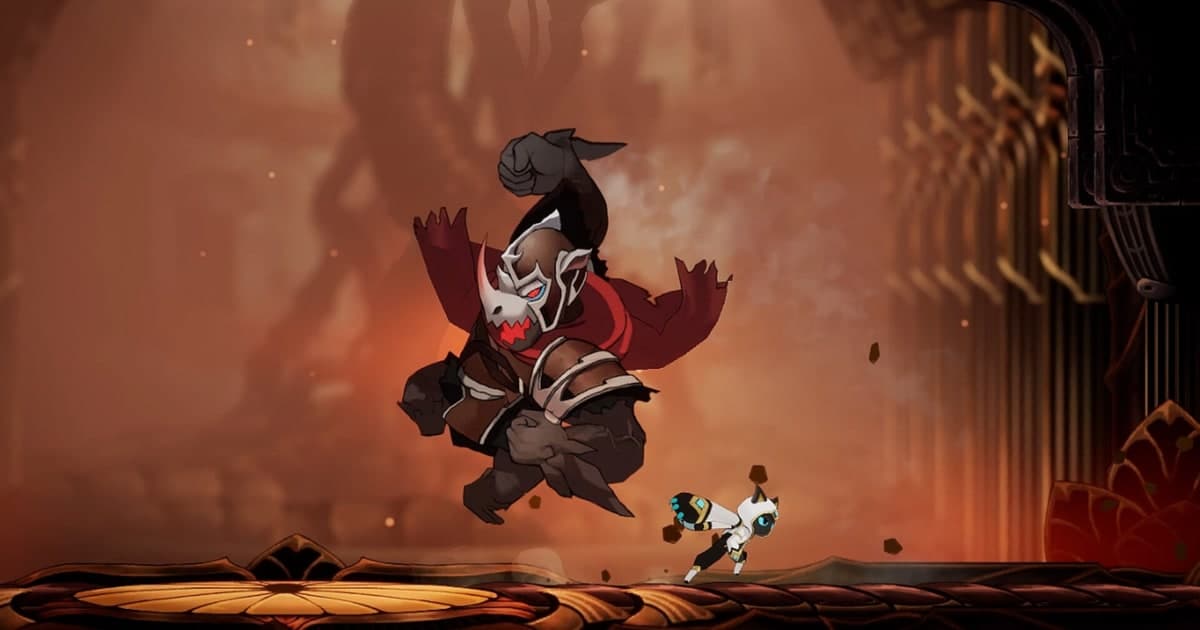
Read the map before choosing a route
The map is color coded by biome and fills in as Kisha explores. Read those two layers first. Biome color separates one region from another, while explored fill shows which corridors and edges have already been checked. Finding or buying a biome map expands the local reference without proving that every route or collectible is complete.
| Map layer | What it tells you | Best next action |
|---|---|---|
| Biome color | Which region the current rooms belong to | Follow explored connections toward the relevant biome border |
| Explored fill | Which rooms and edges Kisha has already reached | Inspect unfinished edges before crossing the whole world again |
| Biome map | Additional local layout detail | Find or buy it when the region remains hard to read |
| Completion markers | Save points, pickups, shops, upgrades, walls, and other recorded targets | Use them after deciding the navigation goal |
A useful map check asks three questions in order: what changed on the biome view, which travel nodes are active, and which unfinished edge matches the newest movement power.
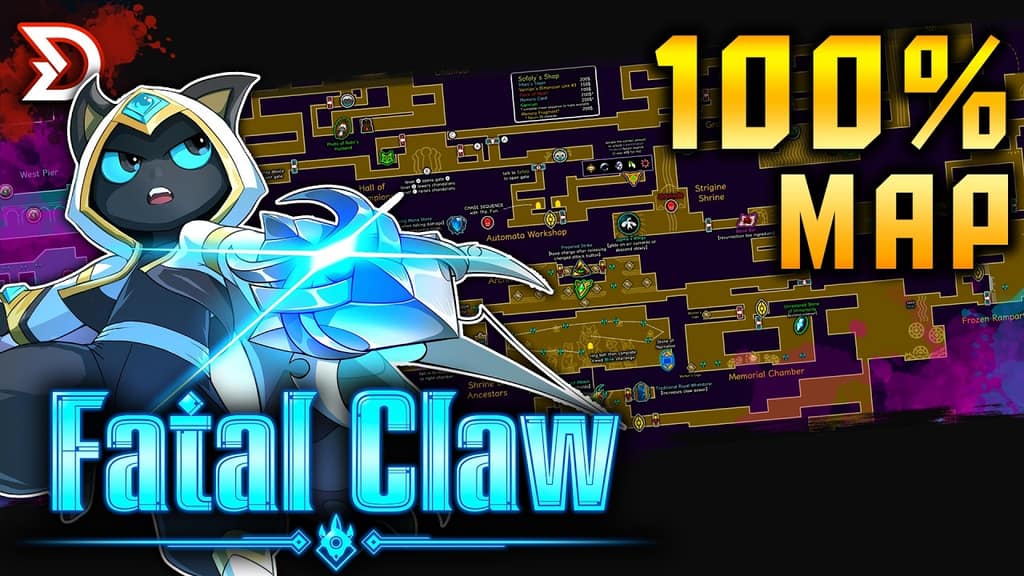
Map reference from the linked current-version overview. Biome colors establish regions, while corridors and icons separate navigation edges from completion markers.
When a map edge needs a power, compare it with the visual profiles in the ability unlock guide. For a route that still lacks the relevant boss or objective, move back to the first-ending progression guide.
Build a spoiler-controlled marker system
The reviewed 1.0 map records cat statues, breakable walls, key items, save points, map pickups, shop inventories, teleport points, and upgrade pieces. That is enough detail to overwhelm a simple route decision, so group markers by what they help Kisha do next.
| Marker group | Include | Use it when |
|---|---|---|
| Travel | Save points and teleport points | Planning a safe return or shortening a runback |
| Route recovery | Breakable walls and unfinished edges | A new movement power may open an old path |
| Map expansion | Biome map pickups and vendors | The current biome view lacks useful detail |
| Progression | Key items and upgrade pieces | The next objective depends on a confirmed requirement |
| Optional completion | Cat statues and other recorded pickups | The main route is clear and cleanup is intentional |
| Resupply | Shop locations and inventories | A route should include a purchase before the next challenge |
Custom markers are unavailable until map pins have been purchased. If the map does not offer a pin action, treat that as an inventory check. After pins become available, reserve them for one-way walls, ability-gated gaps, and other return points that the built-in map does not resolve for you.
Unlock and use fast travel
Fast travel has two confirmed stages. Waypoints provide the initial network. A later biome-specific gate item expands travel inside that biome so its visited save points can be selected from the map.
- Check whether the desired destination is a waypoint or a save point.
- Use the waypoint network while biome save-point travel is still locked.
- Obtain the required travel gate item for the biome you want to cross.
- Open the map and select a save point that Kisha has already visited in that biome.
The visible success state is simple: visited save points in the unlocked biome become valid map destinations. If every save point in that biome remains unavailable, the biome travel unlock is still missing even when waypoint travel works elsewhere.
See the current 1.0 map coverage
The map overview below shows the current marker density and the difference between navigation targets and completion targets. Use it to recognize save points, map pickups, shops, teleport points, route barriers, and upgrade pieces without assuming that every marker is required for the next story route.
Inspect the Fatal Claw 1.0 map
This current-version map overview shows biome coverage, bosses, abilities, save points, shops, teleport points, upgrade pieces, route barriers, and other completion markers.
Confirm each map change
Check the map immediately after each navigation action. A delayed check makes it hard to tell whether exploration, a purchased map, a new pin, or a travel unlock caused the change.
| Action | Expected map change | If nothing changed |
|---|---|---|
| Explore a new corridor | More of the biome fills in | Return to the last unfinished edge and verify the route was actually entered |
| Find or buy a biome map | The local biome reference expands | Confirm that the map belongs to the current biome |
| Purchase map pins | Custom marker placement becomes available | Recheck the inventory before treating the map control as broken |
| Unlock biome save-point travel | Visited save points in that biome become selectable | Continue using waypoints until the biome gate item has been obtained |
| Gain a movement power | A previously inaccessible edge becomes worth retesting | Compare the obstacle shape with the behavior of the new ability |
Diagnose an unfinished map edge
Some walls open from one side, and some gaps require a later movement power. Marking the edge preserves the problem for a controlled return visit without turning every blocked path into an immediate detour.
| Expected state | Symptom | Likely cause within the confirmed map systems | Next check |
|---|---|---|---|
| The biome layout is readable | A route appears to stop at the map boundary | The biome map may still be missing or the edge may be unexplored | Find or buy the biome map, then zoom back to that edge |
| A wall should connect two spaces | The wall does not open from this side | It may be a one-way wall | Mark it and inspect the route from the opposite side later |
| A gap leads toward unfinished map space | Kisha cannot cross with current movement | The route may require a later movement power | Compare the gap with the latest unlocked ability and retest once |
| A save point has been visited | It cannot be selected as a destination | Save-point travel for that biome is still locked | Verify the biome-specific travel gate before retrying |
| The map has no custom marker action | A return edge cannot be pinned | Map pins have not been purchased | Buy pins before troubleshooting the marker control |
When several candidates remain, zoom to the biome view and inspect unfinished edges and one-way walls first. This keeps the next attempt local and reversible.
Separate navigation from completion
The confirmed map systems support biome colors, exploration fill, biome maps, custom pins, waypoints, save-point travel, one-way walls, ability-gated gaps, and a wide set of collectible and shop markers. They do not make every icon part of the current route.
Choose the navigation question first: reach another biome, activate travel, reopen a shortcut, or revisit an ability gate. Only then add completion markers to the route. This preserves a spoiler-controlled path and prevents a full-map checklist from hiding the one connection that currently matters.
Boss markers identify an encounter but do not explain its attack pattern. Use the boss roster and visual profiles after the map leads to a named arena. During completion cleanup, the 51-achievement index provides the exact visible event that each public requirement expects.